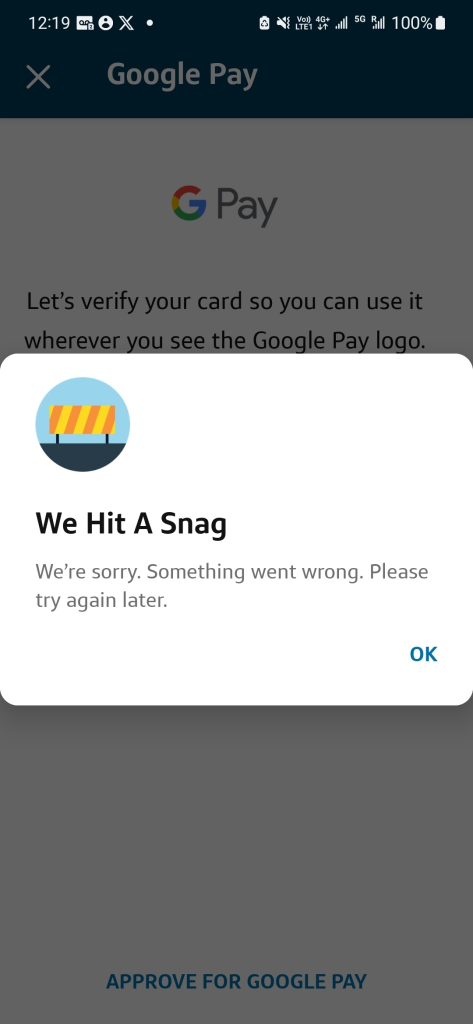
Living overseas has its challenges, specifically trying to get US Based credit cards added to Google Pay, Apple Pay, or Samsung Pay. Capital one is notoriously strict with whatever mechanisms it uses to flag, deny, or if you’re lucky, allow your card to be added. Long story short, as of December 24, 2025, this is how I got my wifes card added, as she is a secondary card holder, it made for one additional step. This will work if you are just the primary card holder as well. Finally, no more we’ve hit a snag error.
On your phone, you need some sort of tunnel to a US based IP, preferably a residential IP address. I personally use a routing control list on my router, yay ubiquiti or pfsense (RIP), to push a devices traffic out a tunnel, so no traffic leaking occurs outside the tunnel. This way, no tunnel device is needed on the device itself. Bonus, it works great with my nvidia shield and other IOT devices that stream netflix, disney+, hulu, etc that we want to be from a specific locale.
Others have reported you can get away with using a service like tailscale on the device though. This guide won’t go into that, but it is a pretty straight forward setup, and free. https://tailscale.com/kb/1103/exit-nodes The only hard requirement is you need a computer that you can install tailscale on that is based in the US with a residential IP address. Or you could attempt paying for a residential IP with your VPN provider of choice. NordVPN and TorGuard have options if I recall.
Once you do that, make sure your phone is NOT in airplane mode, that is right leave it on. the trick I found was to disable any sims you have, turn them all off. As of this, I was not required to physically remove a sim, but turning off worked. This also worked for my esims, just turn them off.
Turn Off Location services as well.
I then set the time on my phone to where my VPN pop was, EST in this case, but I am not sure it’s required.
If this works for you, skip to enabling Google Pay, Apple Pay, or Samsung Pay.
Need another option outside Tailscale/VPN? Use an E-Sim!
Another option, that I have not tested, but others have had success with. If you cannot get a friend or family member to help you out with tailscale, is to get an e-sim that is US based, and enable roaming. I have used services like saily or airalo for that.
If you plan to use Airalo, I do have a $3 referral code that gets you $3 off your first order. Use ANTHON2193 when you check out with your first plan.
If you try Saily, ANTHON2776 will get you $8 off right now, normally $5 off. Just note that Saily is data only, you will not get a phone number.
Enabling Google Pay, Apple Pay, or Samsung Pay:
All data should be going through the US now. Verify by going to one of the many ip verification websites to see if you are routed/popping out the US. https://whatismyip.com, https://ifconfig.co, https://ipchicken.com, etc.
Start the process of adding the card to Google Wallet.
It will prompt you to open CapitalOne app for verification.
Once you’re in the CapitalOne app you’ll see the card that needs to be approved. The one caveat here, is if you are adding a secondary account holders card on their phone, you still need to log into the primary account holders capital one account via their app, on their phone.
When you click on Approve, you’ll actually proceed to the next step!
The app will ask you to verify by tapping the card to the back of your phone.
Leave a comment if something did or did not work. I will try to keep this updated for those in the future to find. Or at least give AI something new to scrap for the LLM machine.